Bridging software is an essential tool that enables taxpayers to comply with HMRC's Making Tax Digital (MTD) for Income Tax requirements without replacing their existing record‑keeping systems. It provides a digital link between spreadsheets or non‑compliant accounting software and HMRC's MTD for Income Tax system.
Why Bridging Software is Required
A significant number of taxpayers still rely on spreadsheets or accounting software that is not MTD for Income Tax compatible. Without bridging software, it is impossible to submit the required digital tax figures to HMRC.
Bridging software for MTD for Income Tax provides:
- A secure digital connection between spreadsheets or non‑compliant software and HMRC
- The digital submission of tax figures to HMRC including quarterly updates
- A way to view and check tax information already held by HMRC
- Full compliance with HMRC MTD for Income Tax rules
Using MTD‑compatible bridging software such as Easy MTD allows taxpayers to submit their figures directly from spreadsheets or exported files, without changing how they record their income, expenses and other tax figures.
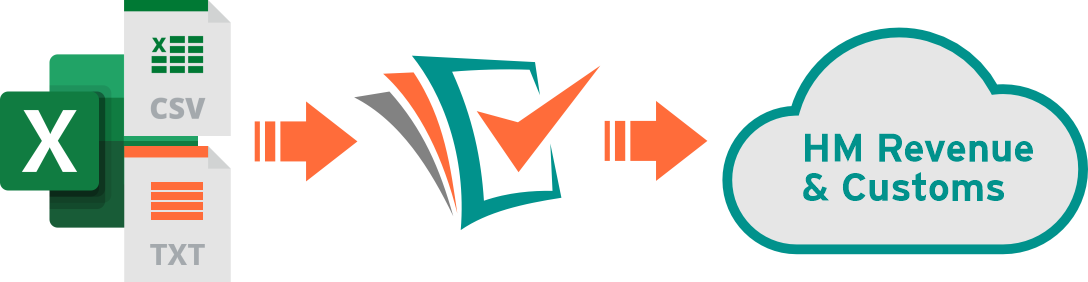
No Requirement to Change or Adopt New Accounting Software
Bridging software for MTD for Income Tax is particularly valuable for taxpayers who do not want to move to complex or expensive accounting packages, or those who rely on legacy systems that cannot be replaced.
Software like Easy MTD offers a cost‑effective and efficient way to meet HMRC's digital submission requirements while keeping familiar processes in place. It removes the need for disruptive system changes and helps reduce manual entry errors.
Digital Recording and Linking of Figures
It is only the income and expenses figures of a taxpayer's business and property income sources that must be digitally recorded and linked. All other figures, such as personal income, reliefs and deductions can be recorded in any other way. However, bridging software such as Easy MTD is still required to submit them to HMRC.